
📋 TABLE OF CONTENTS
- What Is Minecraft Java Edition
- Supported Platforms
- Java Edition System Requirements 2026
- Latest Version — Java Edition 2026
- New Versioning System Explained
- Java Edition Key Features
- Snapshots and Pre-Releases
- Minecraft Java Mods — Forge, Fabric, NeoForge
- Best Mods for Java Edition 2026
- Shaders and Resource Packs
- Multiplayer Servers
- Friends List — New in 2026
- Realms for Java Edition
- Java Edition vs Bedrock Edition
- How to Install Minecraft Java Edition
- Common Errors and Fixes
- FAQs
What Is Minecraft Java Edition
Minecraft Java Edition is the original PC version of Minecraft, first released by Markus Persson in 2009 and officially launched in November 2011. The entire game is written in Java and runs through the Java Virtual Machine, which is what gives the edition its name and its unique technical characteristics.
Java Edition is PC-only. It runs on Windows, macOS, and Linux but cannot be played natively on any console, mobile device, or tablet. The trade-off for this platform limitation is depth. Java Edition has the most extensive modding support of any version of the game, the most active custom server ecosystem, the deepest Redstone and command block mechanics, and a snapshot system that gives players access to upcoming features weeks or months before they release officially.
Since 2022, purchasing Minecraft for Windows PC grants both Java Edition and Bedrock Edition under the same Microsoft account. Players who buy one version get the other automatically through the unified Minecraft Launcher.
Supported Platforms
| Platform | Supported |
|---|---|
| Windows 10 / 11 | ✅ Yes |
| macOS | ✅ Yes |
| Linux | ✅ Yes |
| Xbox | ❌ No |
| PlayStation | ❌ No |
| Nintendo Switch | ❌ No |
| Android | ❌ No |
| iOS | ❌ No |
Java Edition is the only major Minecraft version that runs on Linux, making it the version of choice for Linux-based gaming setups and dedicated Linux servers. Mac support covers all major macOS versions on both Intel and Apple Silicon hardware.
Java Edition System Requirements 2026
Starting with Java Edition 26.1 released on March 24, 2026, the game now requires Java 25 to run. This is a mandatory upgrade from previous Java versions. The Minecraft Launcher bundles the correct Java 25 runtime automatically for players, but server operators must update their Java installation manually.
Minimum Requirements
| Component | Minimum Specification |
|---|---|
| OS | Windows 10 64-bit, macOS 10.15, or Linux |
| Java | Java 25 (OpenJDK 25) |
| CPU | Intel Core i3-3210 or AMD A8-7600 |
| RAM | 4 GB |
| GPU | Intel HD Graphics 4000 or AMD Radeon R5 |
| Storage | 4 GB |
| Internet | Required for login and multiplayer |
Recommended Requirements
| Component | Recommended Specification |
|---|---|
| OS | Windows 11 64-bit or macOS 13+ |
| Java | Java 25 (bundled in Launcher) |
| CPU | Intel Core i5-4690 or AMD Ryzen 3 |
| RAM | 8 GB |
| GPU | Nvidia GeForce 700 series or AMD Radeon RX 200 |
| Storage | 8 GB SSD |
⚠️ Note on Java 25 for Server Operators
Server operators cannot rely on the bundled Launcher Java runtime. Download OpenJDK 25 from the official OpenJDK website and update your server start script to point to the new installation. Errors like "Unsupported class file major version" after updating to Java Edition 26.1 or 26.2 indicate the server is still using an older Java version.
Latest Version — Java Edition 2026
Java Edition 26.2 — Chaos Cubed (June 16, 2026)
The current stable version of Minecraft Java Edition is 26.2, known as Chaos Cubed. Mojang released it on June 16, 2026.
- Baby Mob Redesigns — New textures and models for every baby mob that did not already have a unique model. Every young animal in the game received individually designed models rather than scaled-down adult versions.
- Golden Dandelion — A new flower that stops baby mobs from aging when used on them. Sets the NBT attribute AgeLocked to 1. Using it again allows aging to resume.
- Craftable Name Tags — Name Tags can now be crafted through a recipe rather than only being found in loot chests or traded for.
- Data-Driven Villager Trades — Trades offered by villagers and wandering traders are now data-driven and can be customized by datapack developers, opening significant new possibilities for custom server experiences.
- Sulfur Caves — A new underground cave biome featuring distinctive yellow sulfuric terrain, sulfur springs with nausea-causing gas clouds, sulfur spikes that form stalactites and stalagmites, and the Sulfur Cube mob.
- Sulfur Cube Mob — A new mob that spawns inside sulfur caves. It absorbs surrounding blocks and changes behavior based on what it consumes.
- Cinnabar Blocks — A red-colored block that generates in sulfur caves, used to craft cinnabar stairs, slabs, walls, polished cinnabar, cinnabar bricks, and chiseled cinnabar.
- Sulfur Blocks — A yellow-colored block used to craft sulfur stairs, slabs, walls, polished sulfur, sulfur bricks, and chiseled sulfur.
- Dappled Forest — A new Overworld biome with red shrubs, shelf mushrooms, wool stairs and slabs, and abandoned camp structures.
- Friends List — A new in-game social feature for peer-to-peer multiplayer without needing to share server IPs.
- Experimental Vulkan Renderer — An optional Vulkan graphics backend added alongside the existing OpenGL renderer.
- New Music Disc — A music disc with the track Bounce by fingerspit.
New Versioning System Explained
Minecraft officially abandoned its long-standing 1.x versioning format starting in 2026. Both Java Edition and Bedrock Edition now follow a year-based format.
| Format | Meaning | Example |
|---|---|---|
| 26.1 | First game drop of 2026 | Tiny Takeover |
| 26.2 | Second game drop of 2026 | Chaos Cubed |
| 26.2 Snapshot 1 | First snapshot for the 26.2 update | April 7, 2026 |
Snapshots were previously named using a format like 24w10a, meaning the tenth week of 2024, first snapshot. The new format replaces this with a cleaner numeric system. The 2026 April Fools update 26w14a was an exception that used the old format as a nod to tradition.
Java Edition Key Features
🔧 Unlimited Modding
Java Edition's open codebase allows developers to write mods that replace, extend, or completely overhaul any part of the game. Mods can add new dimensions, completely new progression systems, thousands of new items, custom physics, and mechanics that go far beyond what Bedrock's add-on system can achieve.
📸 Snapshot System
Java Edition players get access to upcoming game features through weekly snapshots before they release officially. Snapshots are development versions that let the community test new content, report bugs, and influence the final form of features before they go live.
🌐 Custom Server Ecosystem
Java Edition has the most mature and feature-rich server ecosystem in gaming. Servers running Spigot, Paper, Purpur, Forge, Fabric, or NeoForge support thousands of plugins and mods covering every gameplay style from mini-games and economy servers to hardcore survival.
⚡ Redstone & Command Block Depth
Java Edition's Redstone mechanics are the technical standard that most YouTube tutorials, Redstone contraptions, and command block systems are built around. Technical players and Redstone engineers consistently prefer Java for this reason.
📦 Datapack System
Datapacks are vanilla modifications that use JSON and command functions to alter game behavior without installing external mods. They work within the game's built-in systems and are fully server-compatible without requiring players to install anything.
🎨 OpenGL & Vulkan Rendering
Java Edition uses the OpenGL rendering pipeline by default. Java Edition 26.2 added an experimental Vulkan renderer as an alternative option. Vulkan can deliver better CPU-side performance on modern hardware but is currently experimental.
Snapshots and Pre-Releases
How the Snapshot System Works
A snapshot is the term used to describe development versions for Java Edition updates. Every major update and many minor updates have snapshots released roughly weekly for player feedback on in-development features and changes. Modern snapshots are released on Tuesdays.
The development cycle for each update follows this order: snapshots release weekly with new features and changes, then pre-releases go out once features are complete and only bug fixes remain, and finally release candidates confirm the final build before the official release.
How to Enable Snapshots
- Open the Minecraft Launcher.
- Click Installations at the top.
- Enable the option to show snapshots.
- A new installation appears for the latest snapshot version.
- Launch it from the Play tab.
⚠️ Always back up your worlds before loading them in a snapshot because snapshot versions can occasionally corrupt world data. Loading a world in a snapshot restricts it from being opened in Realms until the snapshot content officially releases.
Minecraft Java Mods — Forge, Fabric, NeoForge
Java mods are external files that modify the game's code, adding new content, changing mechanics, or improving performance. Unlike Bedrock add-ons, which operate within defined boundaries, Java mods can access and change any part of the game's codebase. This is what makes Java Edition the home of truly transformative modpack experiences like those found in RLCraft, SkyFactory, Pixelmon, and Create.
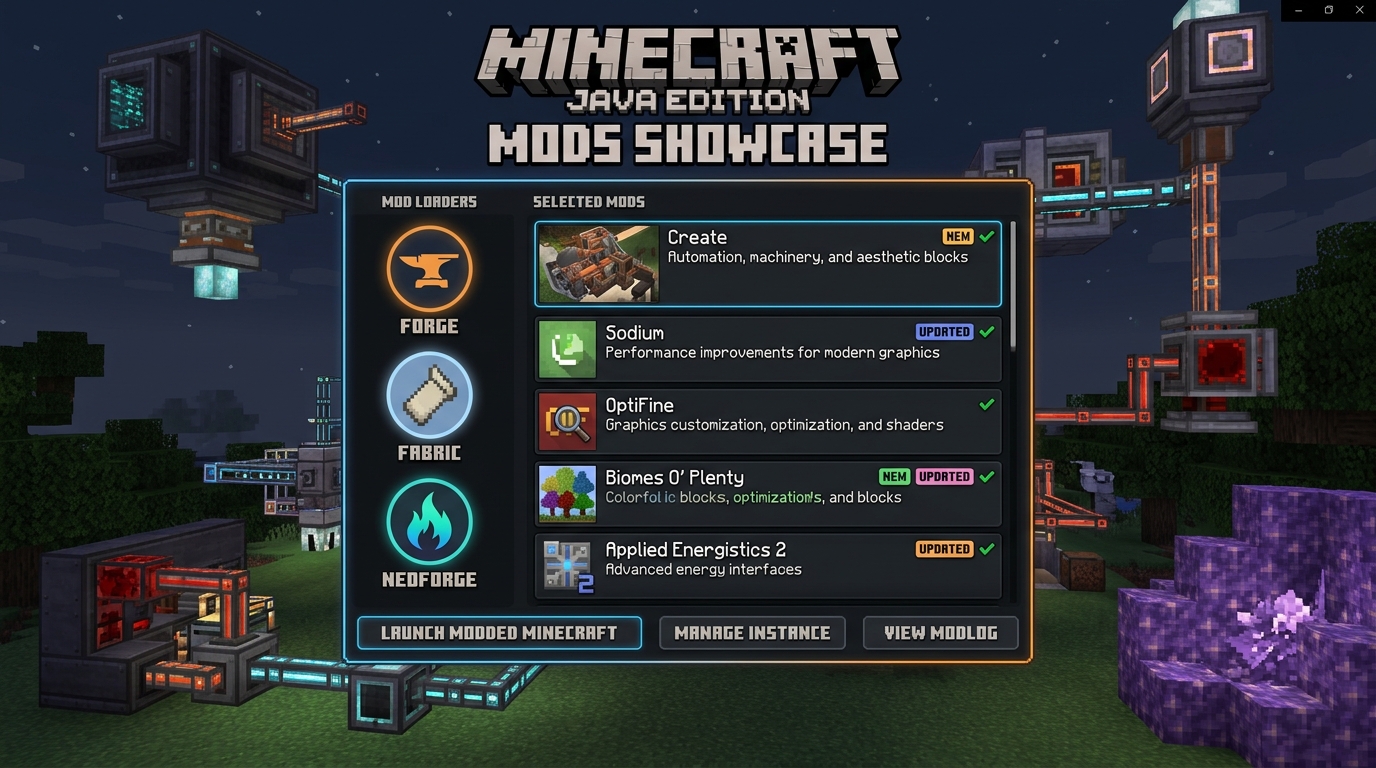
⚒️ Forge
Forge is the original and longest-running mod loader for Minecraft Java Edition. It provides a stable API that most large mods and modpacks are built on. Thousands of mods have Forge versions, including the most established names in the modding community.
🧵 Fabric
Fabric is a lightweight and fast mod loader that has grown significantly in adoption since its launch. Fabric's performance-focused design makes it particularly popular for optimization mods and technical mods. It updates to new Minecraft versions faster than Forge.
🔥 NeoForge
NeoForge is a community fork of Forge that launched in 2023. It has taken over from the original Forge as the primary mod loader for new large-scale mods and modpacks. Many major mods that previously used Forge now release NeoForge versions. The NeoForge ecosystem is actively growing in 2026.
Mod Loader Comparison
| Loader | Performance | Update Speed | Ecosystem Size | Best For |
|---|---|---|---|---|
| Forge | Medium | Slower | Largest legacy | Older established mods |
| Fabric | High | Fastest | Medium and growing | Performance and technical mods |
| NeoForge | Medium | Fast | Growing rapidly | New large mods and modpacks |
Best Mods for Java Edition 2026
⚡ Performance Mods
- Sodium — A Fabric performance mod that replaces Java Edition's OpenGL rendering implementation with a significantly more optimized version. Frame rates on low- to mid-range hardware improve substantially with Sodium installed.
- Lithium — A Fabric optimization mod that improves game logic performance without changing any vanilla gameplay. Server-side tick speed, mob AI, and world generation all benefit.
- Iris Shaders — The Fabric-compatible shader loader that replaces OptiFine's shader functionality with a more modern and compatible implementation. Iris works alongside Sodium for a combined performance and visual upgrade.
🎨 Visual Mods
- OptiFine — Remains one of the most downloaded mods in Java Edition history. It adds shader support, dynamic lighting, connected textures, zoom functionality, and extensive video settings beyond what vanilla Java provides.
- Complementary Shaders — One of the most widely used shader packs for Java Edition, compatible with both Iris and OptiFine. It adds realistic lighting, shadows, reflections, volumetric clouds, and water effects.
🎮 Gameplay Mods
- Create — A mechanical engineering mod that adds hundreds of new machines, conveyor belts, rotating components, and automation systems. One of the most popular mods in the entire Java Edition ecosystem.
- Pixelmon — Brings the Pokémon experience to Minecraft with faithful model recreations of hundreds of Pokémon, full battle mechanics, trainer systems, and Pokémon Center structures. Runs on Forge and NeoForge.
- GeyserMC — A proxy plugin that enables cross-platform play by allowing Bedrock Edition players to join Java Edition Minecraft servers. Enables players on Android, iOS, Xbox, PlayStation, and Switch to connect to Java-based servers.
🖥️ Server Optimization Mods
- Paper — The most widely used high-performance Java Edition server platform, forked from Spigot. It includes built-in optimizations for tick speed, chunk loading, and entity processing. Most large public servers in 2026 run on Paper or its fork Purpur.
Shaders and Resource Packs
How Shaders Work in Java Edition
Shaders in Java Edition are external GLSL programs that replace the game's default rendering pipeline with visually enhanced versions. They add realistic shadows, dynamic lighting, water reflections, god rays, volumetric atmosphere, and motion blur effects. Shaders require either OptiFine or Iris Shaders as the loader, and a GPU capable of handling the additional rendering load.
Installing Shaders
- Install OptiFine or Iris as your shader loader.
- Download a shader pack from a trusted source.
- The shader pack will be a zip file.
- Open Minecraft, go to Options → Video Settings → Shaders.
- Click Shaders Folder and paste the downloaded zip file into that folder.
- Back in the Shaders menu, select the shader pack to activate it.
Resource Packs
Resource packs change the visual appearance of textures, sounds, fonts, and language strings in Java Edition. They install through the Minecraft Resource Packs menu under Options and do not require any mod loader. Thousands of free resource packs are available from community sites like Planet Minecraft and CurseForge.
Multiplayer Servers
How Java Edition Servers Work
Java Edition multiplayer is built on a direct server connection model. Players connect by entering the server's IP address and port in the Add Server menu. There is no built-in curated server list like Bedrock's featured servers. The Java server ecosystem is entirely community-driven.
Server software options include vanilla Mojang server jars, Spigot for plugin support, Paper for optimized performance and plugins, Forge for mod support, Fabric for lightweight mod servers, and NeoForge for newer mod setups.
Finding Java Edition Servers
Major Java Edition servers are discovered through community sites like Minecraft Server List and Minecraft MP. These directories list servers by category, including survival, creative, mini-games, RPG, economy, and more.
Popular Server Types
- Survival servers — Standard or modified survival gameplay, often with economy systems, land claiming plugins, and custom events.
- Mini-game servers — Structured competitive experiences like SkyWars, BedWars, The Bridge, and Capture the Flag with automated matchmaking and ranking systems.
- Modded servers — Specific modpacks that all players must install to join, ranging from technical modpacks to complete overhaul experiences like RLCraft or Pixelmon.
- Creative servers — Large plot-based building spaces with WorldEdit access and regular build contests.
- Roleplay servers — Custom story-driven worlds with custom plugins, economies, factions, and player-run governments.
Cross-Play Between Java and Bedrock
Java and Bedrock cannot connect natively due to different engines and communication protocols. GeyserMC solves this server-side. Server administrators install Geyser as a plugin or proxy, and Bedrock players — including those on Minecraft for Android and Minecraft for iOS — can then join the Java server from their Bedrock clients. This is the primary bridge between the two editions in 2026.
Friends List — New in Java Edition 2026
Java Edition 26.2 introduced a Friends List system that allows peer-to-peer online multiplayer without requiring a traditional dedicated server or even a shared local network.
The Friends button appears on the title screen and pause menu and can be opened with the O keybind. Through the Friends List, players can send and receive friend requests using their Microsoft account profile name, invite friends directly to their open singleplayer world, and accept or deny join requests from friends.
✅ This is a significant change for Java Edition, which previously required either a LAN connection through Open to LAN, a dedicated server with a shareable IP address, or a Realms subscription for casual friend group play. The peer-to-peer system in 26.2 removes all of those barriers for small group play.
Realms for Java Edition
Minecraft Realms for Java Edition provides private persistent server hosting managed by Mojang. The Realm stays online even when the owner is not playing. Java Realms costs $7.99 per month and supports up to 11 concurrent players with the ability to invite up to 100 total members.
Java Realms and Bedrock Realms are completely separate subscriptions. A Bedrock Realms subscription does not grant access to Java Realms and vice versa. Java Realms support cross-platform play between Windows, macOS, and Linux but not with Bedrock players on console or mobile.
Realms for Java Edition includes a monthly selection of free community-created content different from the Marketplace content available in Bedrock Realms Plus. Setting up a Java Realm requires only a subscription and no technical server knowledge.
Java Edition vs Bedrock Edition
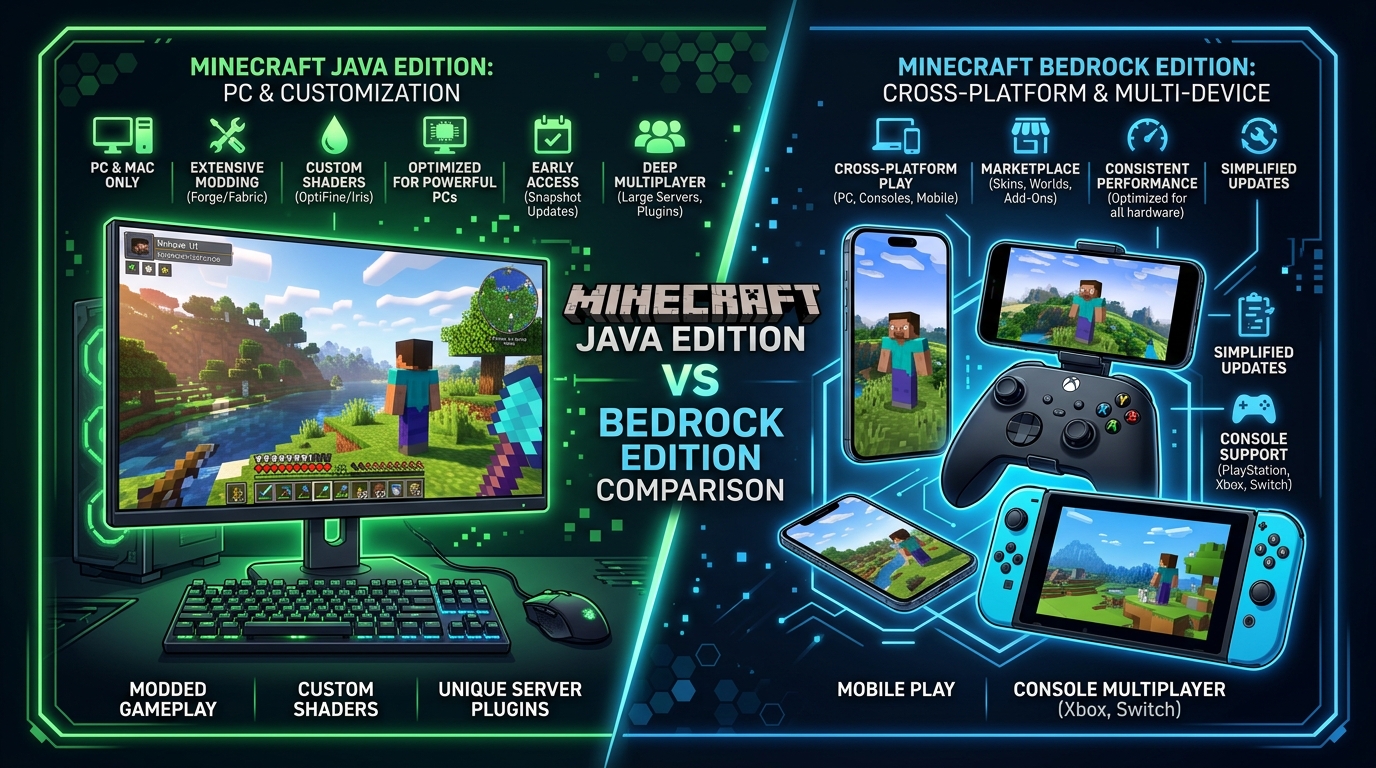
| Feature | Java Edition | Bedrock Edition |
|---|---|---|
| Platforms | Windows, Mac, Linux | Windows, Xbox, PS4/5, Switch, Mobile |
| Mods | Thousands via Forge, Fabric, NeoForge | Sandboxed add-ons only |
| Cross-Play | PC only, Bedrock via GeyserMC | Full cross-platform |
| Shaders | Community-made via OptiFine / Iris | Official RTX on Windows |
| Multiplayer | Direct IP, open ecosystem | Featured servers + Realms |
| Realms Price | $7.99/month | $3.99 or $7.99/month |
| Performance | Heavier on older hardware | Lighter, optimized for all devices |
| Redstone | Java-specific mechanics | Bedrock-specific mechanics |
| Snapshots | Built-in via Launcher | Separate Minecraft Preview app |
| Controller Support | Requires third-party tools | Native on all platforms |
| Linux Support | Yes | No |
| Price (PC) | Bundled with Bedrock on PC | Bundled with Java on PC |
✅ Choose Java Edition When
- Deep modpack experiences are the priority
- Playing on a technical server with plugins or complex command systems
- Linux is your operating system
- Community servers with thousands of players are what you want
- Shaders and visual customization beyond vanilla settings matter to you
✅ Choose Bedrock Edition When
- Playing with friends on different devices, including console and mobile
- Controller and couch play are important
- Official RTX ray tracing on Windows is a priority
- Cross-platform Realms with friends on any device is the goal
- A simpler setup without mod management is preferred
How to Install Minecraft Java Edition
- Go to minecraft.net and purchase the Java and Bedrock Edition bundle for PC.
- Download the Minecraft Launcher after purchase.
- Run the Launcher installer and sign in with your Microsoft account.
- In the Launcher, select Minecraft Java Edition from the left sidebar.
- Click Play. The Launcher downloads the latest version automatically and launches the game.
- To install mods, download Forge, Fabric, or NeoForge from their respective official sites and run the installer for your Minecraft version. Then add mod files to the
modsfolder inside your.minecraftdirectory.
Common Errors and Fixes
❌ Java Not Found Error
The game cannot locate a compatible Java installation. Update the Minecraft Launcher to the latest version, which bundles the correct Java 25 runtime automatically. For server operators, download and install OpenJDK 25 manually and update the server startup script.
❌ Out of Memory Error
Java Edition allocates RAM based on the Launcher's JVM Arguments settings. Open the Launcher, go to Installations, edit the installation, and increase the allocated RAM in the More Options section. Setting it to 4 GB resolves most memory errors. Modded instances may require 6 to 8 GB.
⚠️ Failed to Login — Authentication Unavailable
This happens when Mojang's authentication servers are temporarily down. Check the status at Mojang Status and wait for the service to restore. Playing in offline mode bypasses the authentication requirement but disables multiplayer.
⚠️ Mod Not Loading After Installation
Confirm the mod is for the correct Minecraft version and the correct mod loader. A Fabric mod does not load on a Forge installation and vice versa. Check that the mod loader itself is installed and ensure the mod file is placed in the mods folder inside .minecraft and not inside a subfolder.
🔧 Low FPS on Java Edition
Java Edition is more CPU-intensive than Bedrock on older hardware. Install Sodium through Fabric for an immediate frame rate improvement. Reduce render distance in Video Settings. Disable smooth lighting and fancy graphics on very low-end hardware. Allocate more RAM through the Launcher JVM Arguments if the game is running below 4 GB.
🔧 World Won't Load After Snapshot
A world opened in a snapshot version may be incompatible with the previous stable release. Always keep snapshot worlds separate from main survival worlds. If a world file is corrupted by a snapshot, restore from a backup made before the snapshot was used.
Frequently Asked Questions (FAQ)
Conclusion
Minecraft Java Edition in 2026 is the deepest, most customizable, and most technically capable version of Minecraft available on any platform. The switch to the year-based versioning system, the Java 25 requirement, the experimental Vulkan renderer, and the new peer-to-peer Friends List all show that Mojang continues investing seriously in the edition that started everything.
The Forge, Fabric, and NeoForge mod ecosystems give Java players access to experiences impossible in any other version of the game. The custom server infrastructure supporting tens of thousands of community servers means there is always somewhere to play and something new to experience. For players who want mods, shaders, technical Redstone, and the deepest possible creative control, Java Edition has no equal.
For players on Android who want the Minecraft experience without the Java Edition price tag, the Minecraft Mod APK delivers the Bedrock codebase with all premium features unlocked. For players on iOS, the Minecraft Mod APK for iOS provides the same. For PC players, the Minecraft Mod APK for PC runs the modded Bedrock version through an emulator on Windows. For a cross-platform alternative, see the Bedrock Edition guide.