
How to Make Glitchy Text in Minecraft: Java & Bedrock
Glitchy text in Minecraft comes from 2 different tricks: the built-in §k obfuscated formatting code, which scrambles characters randomly while the game runs, and Unicode combining characters (often called zalgo or cursed text) pasted in from an outside generator. Neither needs a mod. Both work in chat, signs, books, and name tags depending on your edition.
📋 Table of Contents
Ultimate guide on making glitchy text in Minecraft
The two effects look different and come from different places. §k is a real Minecraft formatting code, the same family as §l for bold or §c for red, and it only works where formatting codes are allowed to render. Zalgo text isn't a Minecraft feature at all, it's Unicode characters stacked on top of letters that any game or app will display the same way, since it's the font rendering the glitch, not the game.
Which one you can use, and where, depends heavily on your edition. Java Edition strips formatting codes from most player-typed chat by default, while Bedrock allows the section sign almost everywhere text goes in.
Steps for Java Edition
Step 1: Open chat
Press T or the forward slash key to open chat. This is also where you'd type a command if you're using one to apply formatting, since plain typed chat on a Java server usually won't render color or obfuscation codes unless you're the server operator or a plugin allows it.
Step 2: Use effects
The obfuscated code is §k. Typing §k before a word makes that word's characters scramble and cycle through random glyphs continuously, which is the closest thing Minecraft has to a native glitch effect. On Java, you can only type the § symbol directly with an alt code (Alt+0167 on Windows), so most players copy it from a generator or a symbol list instead of typing it by hand.
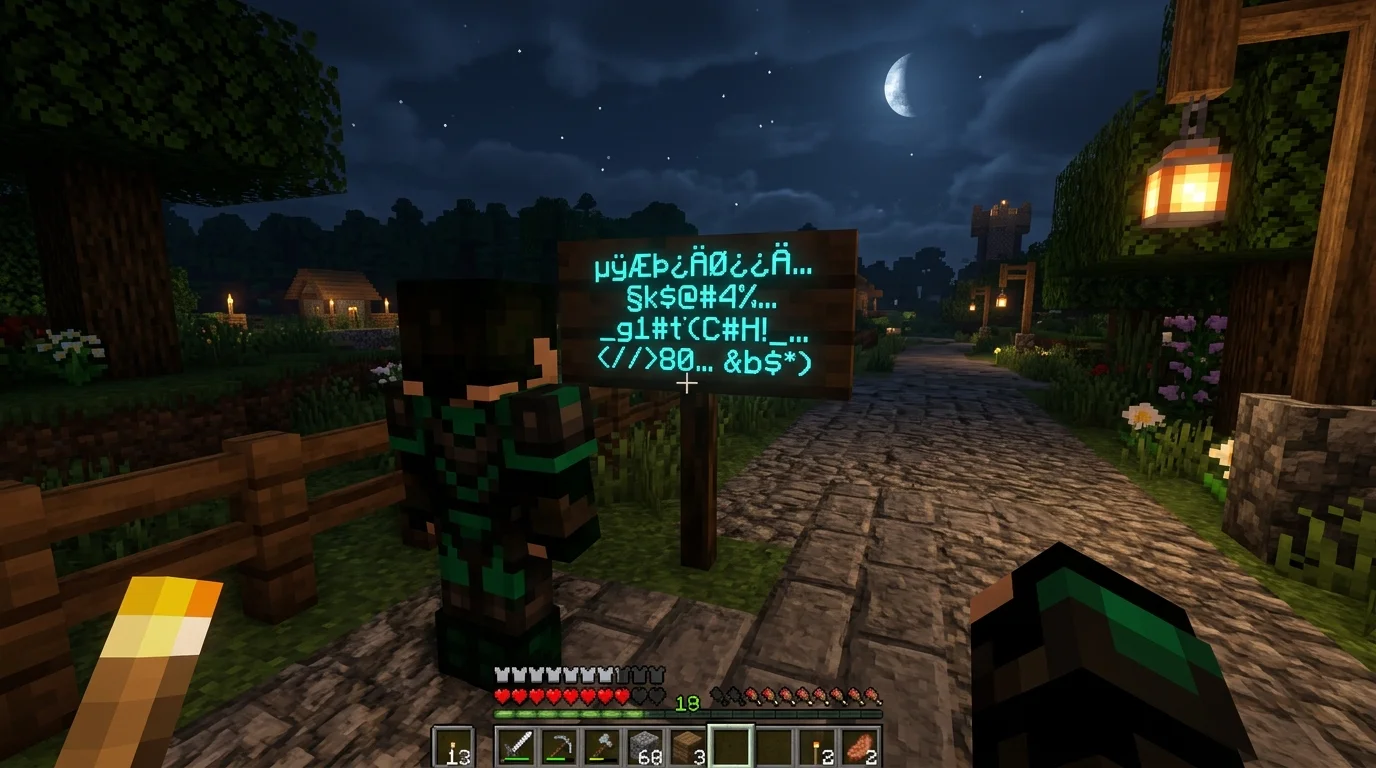
Where §k actually works varies. It renders in signs, books and quills, world titles, and through commands like /tellraw or /title in a data pack. It generally does not render in normal player chat messages on a server unless a plugin explicitly allows formatted chat.
Step 3: Use Unicode
Zalgo or cursed text uses combining diacritical marks, stacked above and below normal letters, to create the corrupted look people associate with glitchy text. This isn't a Minecraft code at all. It's plain Unicode, so it displays the same distorted way in Minecraft chat as it would in a text message or a Discord post.
Paste this kind of text rather than typing it manually, since the combining characters are tedious to type one at a time and most people generate it through a website instead.
Step 4: Type text
Once you've got your §k code or your zalgo string ready, type or paste it into the chat box, a sign, or a book the same way you'd type any other message. If you're combining §k with normal text, close the effect with §r to reset formatting for whatever comes after it.
Bedrock edition
Bedrock supports the section sign more broadly than Java does, working in signs, the chat input field, commands like /say and /title, books and quills, and item or map renaming through an anvil or cartography table.
Typing § depends on your device. On Android, long-press the S key on the on-screen keyboard. On iOS, long-press the ampersand (&) key. On Nintendo Switch, open the on-screen keyboard's language menu, scroll to Symbol, and find it in the second section. On Xbox, it sits under a different symbol depending on your controller's on-screen keyboard layout, so check your specific console's symbol menu if it's not where you expect.
Once you've got the § symbol typed, §k works the same way it does on Java: scrambled, cycling characters for whatever text follows it, until you reset formatting with §r.
Zalgo text works identically on Bedrock too, since it's Unicode rather than a Minecraft-specific code. Paste it into chat, a sign, or a nametag the same way.
Get cursed text/add glitchy names in Minecraft
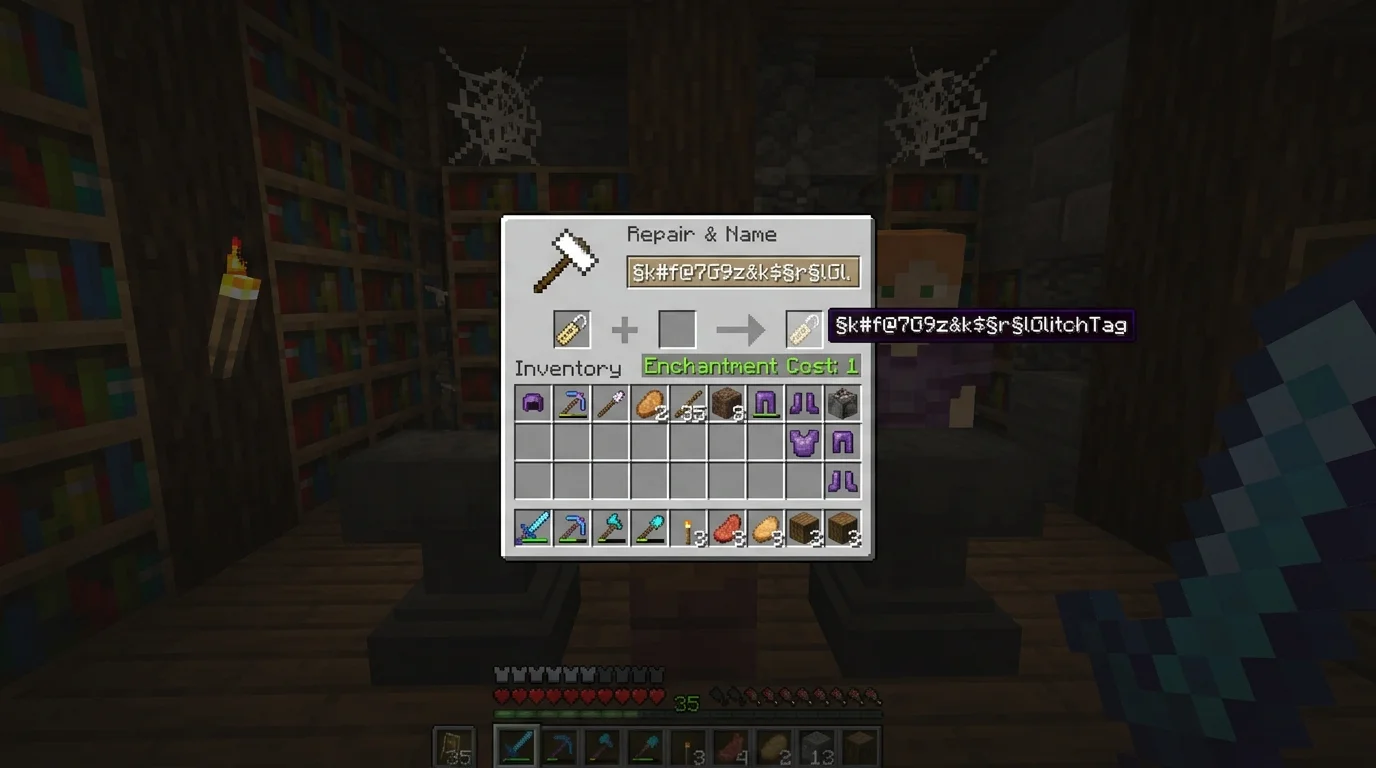
Adding cursed or glitchy names usually means renaming an item, a pet, or yourself using zalgo text through an anvil. Craft or find an anvil, place a name tag (or any renameable item) inside it, and type or paste your glitchy text into the rename field.
A dedicated cursed text generator is the fastest route here. Type your normal word into one, adjust how heavy the distortion looks if the generator gives you that option, then copy the result and paste it straight into Minecraft. Since it's just Unicode, it carries over cleanly whether you're naming a pet, a sign, or your own name tag in an anvil.
Comparing the 2 glitch text methods
| Method | What it is | Works in | Needs a generator |
|---|---|---|---|
| §k obfuscated code | Built-in Minecraft formatting code | Signs, books, titles, commands | No, just the § symbol |
| Zalgo/cursed Unicode | Combining characters stacked on letters | Chat, signs, name tags, anywhere text renders | Usually, since typing it by hand is slow |
If you want an in-game effect that actually animates and cycles, §k is the one to use. If you want a permanently distorted look on a name or sign, zalgo text is the better fit, since §k only scrambles while the game is actively rendering it and stops looking glitchy the moment formatting isn't applied.
Conclusion
Both methods are text tricks, not mods, so neither needs a download beyond a symbol list or a zalgo generator you copy from. Use §k when you want Minecraft's own scrambling effect on a sign, book, or title, and use Unicode combining characters when you want a cursed, corrupted-looking name that stays that way regardless of formatting support.
Frequently Asked Questions (FAQ)
On Java, typed player chat usually strips formatting codes, so §k rarely shows as glitchy there unless a server plugin allows it. Zalgo Unicode text works in chat on both editions, since it's not a formatting code Minecraft can strip out.
Use the §k obfuscated code for Minecraft's built-in scrambling effect, or paste in Unicode zalgo text from a cursed text generator for a permanently distorted look.
Yes, general zalgo or cursed text generators work fine for Minecraft, since the output is plain Unicode rather than anything Minecraft-specific. Any generator built for Discord or social media text will paste in correctly.
Rename an item or name tag through an anvil and paste zalgo text into the rename field. The distorted look carries over since it's Unicode, not a Minecraft formatting code.
Type the § symbol using your device's keyboard method (long-press S on Android, long-press & on iOS, the Symbol menu on Switch), then use §k for the built-in scramble effect, or paste zalgo Unicode text the same way you would on Java.
That's the section sign (§), the character behind every Minecraft formatting and color code. On Windows, type it with Alt+0167. On mobile, long-press the S key (Android) or the & key (iOS) on your keyboard.